How to Organize Projects in Workflowy With Boards and Tags?
Workflowy gives projects a natural home because every project is simply a bullet that can grow as deep as the work requires. Combining nested lists with boards, tags and mirrors turns that bullet into a lightweight project system without complicated setup. This article walks through a practical structure you can copy and adapt.
Start With One Projects Bullet
Create a top-level bullet called Projects and place each active project underneath it. That single parent keeps every project in one predictable place and makes a quick overview possible by zooming into it.
Inside each project, add a short description in the bullet note. Stating the goal and deadline at the top keeps decisions focused as the list grows.
A simple project skeleton
- Goal and deadline in the note of the project bullet.
- Tasks grouped by stage or area of work.
- Reference material such as links, files and research.
- Meeting notes kept under a dated child bullet.
Break Work Into Nested Tasks
Large tasks become manageable once they are split into smaller steps. Indent each step under its parent task, and keep splitting until every bullet describes an action you could finish in one sitting.
Collapsing finished branches keeps the view tidy. Completed items can stay as a record of progress while hidden from the active list.
Use Boards to Track Stages
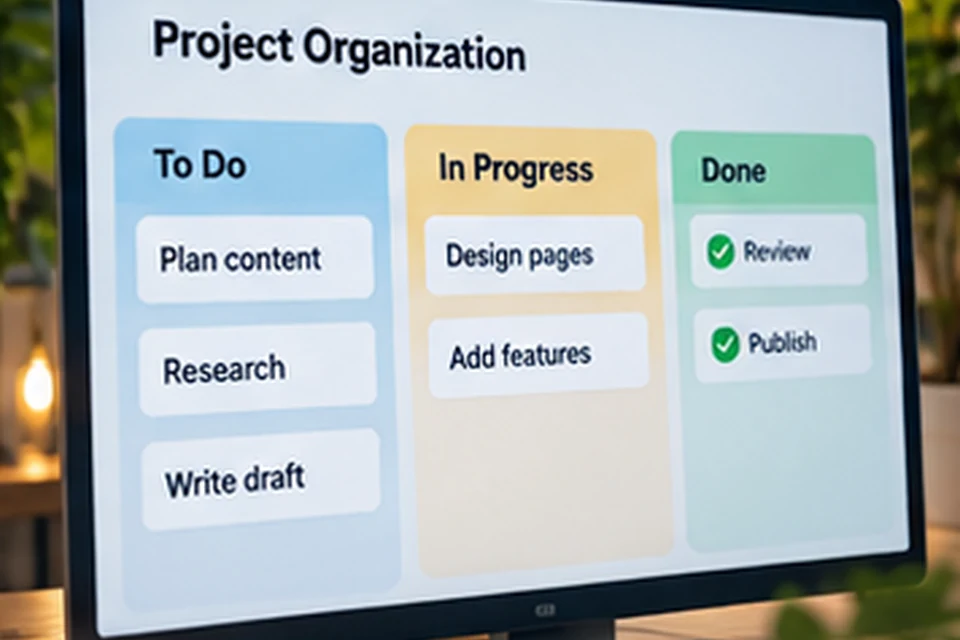
Switching a bullet to board view displays its children as columns. Naming three children To do, In progress and Done creates a simple kanban layout where tasks move from left to right.
Boards suit work that flows through stages, such as content calendars, hiring pipelines or feature releases. Detailed planning still happens in nested lists inside each card.
| Project type | Suggested columns |
|---|---|
| Content calendar | Ideas, Writing, Editing, Published |
| Software feature | Planned, Building, Testing, Shipped |
| Event planning | To book, Waiting, Confirmed |
| Personal goals | This month, This week, Done |
Add Tags for Context and People
Tags cut across projects in a way that nesting cannot. A hash tag such as #urgent or #calls groups similar actions, while at mentions such as @maya collect everything you need to discuss with one person.
Clicking a tag filters the whole outline instantly. That turns scattered tasks into a focused list without moving anything from its project.
Useful tag ideas
- #waiting for items blocked by someone else.
- #errand for tasks that need you out of the house.
- @name tags for agenda items with colleagues.
- #someday for ideas you are not ready to commit to.
Connect Projects to Daily Plans With Mirrors
A daily plan works best when it contains tasks from several projects. Mirrors let you place a live copy of a task in today's list while the original stays inside its project.
Completing the mirrored copy completes the original too. Your daily list stays short, and every project still shows accurate progress.
Review Projects Every Week
A short weekly review keeps the system trustworthy. Zoom into Projects, scan each one, mark finished work complete, add next actions and archive anything that has stalled.
Workflowy AI can help here by summarising a project or listing open tasks, as the AI article describes. Your own judgement still decides what matters next.
- Clear the inbox bullet into the right projects.
- Check every project has at least one next action.
- Move finished projects into an Archive bullet.
Share Projects With Others
Sharing a project bullet gives collaborators access to that branch only. Choose view access for stakeholders and edit access for people who contribute tasks.
Shared boards work well for small teams who want visibility without a heavy tool. Everyone sees the same columns, and changes appear for all members.
Use an Inbox for Fast Capture
Ideas and tasks rarely arrive in the right place. A top-level Inbox bullet gives everything a landing spot, so you can capture quickly and sort later during a quiet moment.
Moving items from the inbox into projects takes seconds with drag and drop or the move command. Keeping the inbox short is a good sign that the system is working.
Inbox rules that help
- Capture everything without deciding where it belongs.
- Empty the inbox at least once a day or week.
- Delete items that no longer matter instead of moving them.
Separate Projects From Ongoing Areas
Projects have a clear finish line, such as launching a website or planning a trip. Areas are ongoing responsibilities like health, finances or team management, which never really finish.
Keeping a separate Areas bullet stops ongoing duties from cluttering the project list. Each area can still hold recurring tasks, notes and reference material.
| Bullet | Holds | Example |
|---|---|---|
| Inbox | Unsorted capture | Call the venue |
| Projects | Work with an end date | Website relaunch |
| Areas | Ongoing responsibilities | Team management |
| Archive | Finished or paused items | Last year's launch |
Add Dates for Time-Sensitive Work
Workflowy supports adding dates to bullets, which helps when deadlines matter. Dated tasks are easier to find and sort when you plan the week ahead.
Keep dates for real commitments rather than wishes. A short list of honest deadlines is far more useful than many dates that keep slipping.
Mistakes That Make Projects Messy
Deep nesting without clear names is the most common problem. When a branch is several levels deep and every bullet is vague, finding anything becomes slow, so give parent bullets descriptive titles.
Too many tags cause a similar problem. A small, stable set of tags works far better than inventing a new tag every day, and it keeps filters meaningful.
- Name parent bullets clearly and specifically.
- Keep the tag list short and consistent.
- Archive finished work instead of letting it pile up.
- Limit active projects to what you can really move forward.
A quick health check
Every active project should have a clear goal, at least one next action and a recent review date in its note. Projects missing any of those three usually need attention or a move to the archive.
Conclusion
Workflowy keeps project organisation flexible: a single Projects bullet, nested tasks, boards for stages, tags for context and mirrors for daily plans cover most needs. A weekly review holds the system together and keeps every project moving.
Build one project with this structure first, then extend it as your confidence grows. The app features overview covers each tool in more depth.